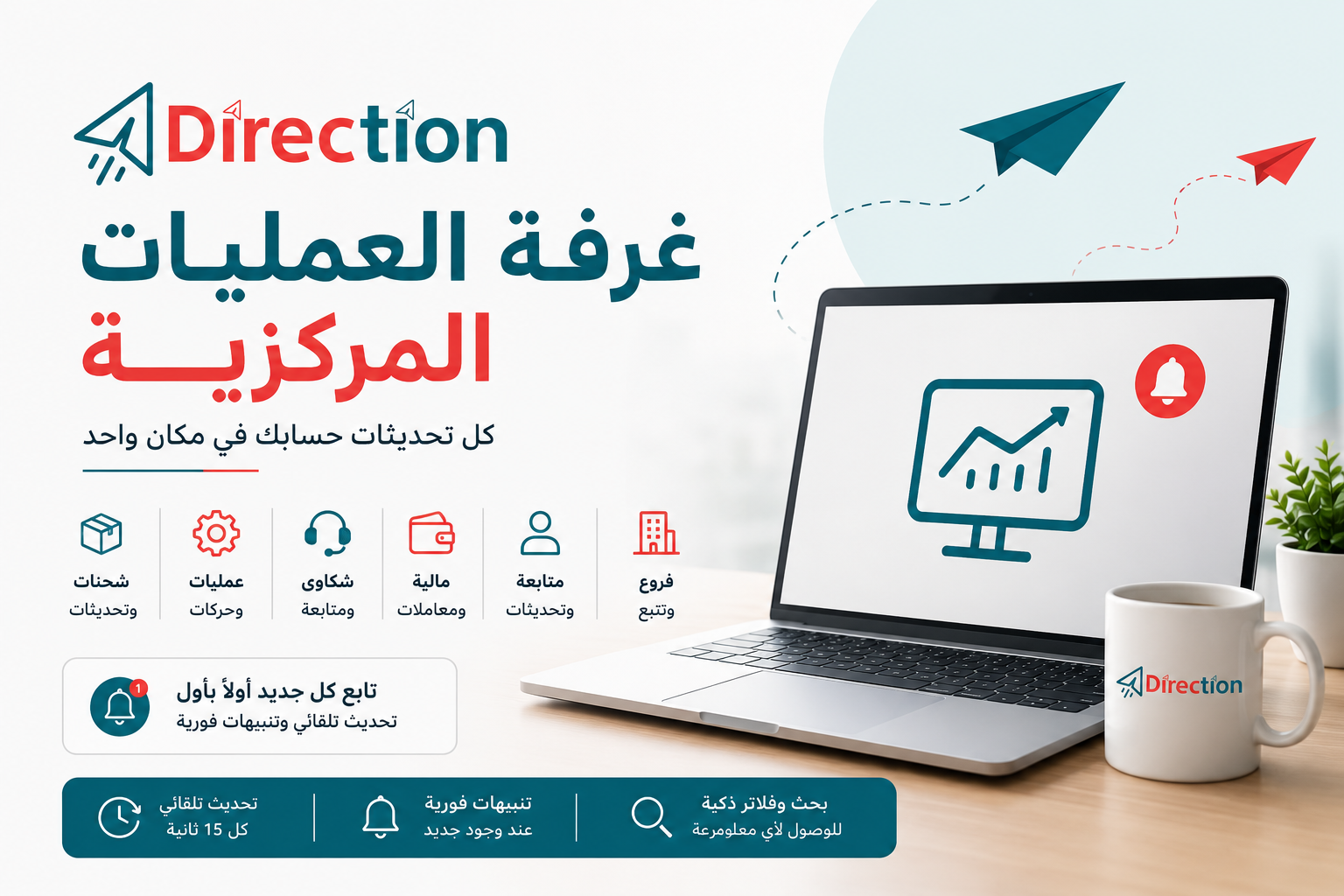
As your store grows and the number of shipments increases, keeping track of everything happening in your account can become time-consuming.
A new shipment, a status update, a customer complaint, a financial transaction, or a manual update — important information can come from different parts of your account.
That is why we introduced the Central Operations Room in Direction Center: one dedicated dashboard that brings your account activity and updates together in a single place.
What Is the Central Operations Room?
The Central Operations Room is a dedicated monitoring dashboard for Direction Center merchants.
It brings together different types of activity related to your account, including:
- 🚚 Shipments and their latest updates
- ⚙️ Operations performed on shipments and accounts
- 🎧 Complaints and related updates
- 💰 Financial activity
- 👨💼 Follow-ups and manual updates
- 🏢 Branch and tracking updates
Instead of checking multiple sections of your account, you can monitor the latest activity from one centralized screen.
Stay Updated Automatically
You don’t need to keep refreshing the page to check whether something new has happened.
The Central Operations Room automatically checks for updates approximately every 15 seconds. When new activity is detected, new records are highlighted, and you can enable both sound alerts and browser notifications.
This makes the Operations Room especially useful when you want to keep it open while working and stay informed as activity happens.
Every Update, Properly Organized
All activity is organized by category, making it much easier to find exactly what you’re looking for.
You can filter the dashboard to view specific types of activity, such as shipments, complaints, financial activity, operations, or other updates.
Each record includes important information such as its reference or shipment number, category, time, and the latest available details.
For shipment-related activity, additional information such as the customer’s name, governorate, and city can also be displayed when available.
Find What You Need in Seconds
When your account has a large number of shipments and updates, manually going through the entire list isn’t practical.
That’s why the Central Operations Room includes a built-in search system.
You can search using:
- Shipment or reference number
- Update details
- Customer name
You can also filter the results by activity category to narrow down the information you need.
See Your Account Activity at a Glance
At the top of the dashboard, you can see quick statistics showing the overall activity in your account.
The dashboard displays the total number of activities, along with the number of activities in each category.
This gives you a quick overview of what’s happening without having to go through every individual record.
You Control How You Monitor Your Account
The Central Operations Room is designed to fit the way you work.
You can pause automatic updates whenever you want to focus on the information currently displayed, and resume monitoring whenever you’re ready.
You can also control sound notifications, allowing you to receive an audible alert when new activity appears.
Dark Mode and Light Mode
Prefer working in a dark interface? Or do you prefer a brighter view?
The Central Operations Room supports both Dark Mode and Light Mode, and your preferred theme is saved for future visits.
Export Your Data When You Need It
Need to keep a copy of your activity or analyze it outside Direction Center?
You can export the displayed activity to a CSV file, making it easy to keep records or work with the data in other tools.
You can also copy individual shipment or activity references directly from the dashboard with a single click.
Why Does the Operations Room Matter?
The goal isn’t simply to give you another dashboard.
The goal is to bring the information you need together in one place.
As your store grows, so does the amount of activity happening across your account. The more shipments you have, the more important it becomes to quickly answer three simple questions:
What happened?
When did it happen?
Does it need my attention?
The Central Operations Room gives you a single place to answer those questions without constantly moving between different pages.
Your Account. Your Activity. One Central View.
The Central Operations Room was built to give Direction Center merchants a clear, centralized view of what’s happening in their accounts.
Keep it open while you work, search for a specific shipment or customer, filter activity by category, receive alerts for new updates, and export your data whenever you need it.
The Central Operations Room — because you shouldn’t have to search for what’s happening in your account.

Found a couple of useful angles in here I had not considered before reading carefully, and a quick stop at synapseflow added more, this is one of those sites where the value compounds the more you read rather than peaking at one viral post and then offering nothing else of substance afterwards which is common.